 Stavka
Invoices for foreign clients
For a client abroad the PDF is bilingual — Serbian and English — in euros or dollars at the National Bank of Serbia rate, with your payment instructions (IBAN, SWIFT) on the invoice.
Stavka issues an invoice with an IPS QR code, records it in the KPO ledger for you, tracks the 6 and 8 million dinar limits and reminds you of tax and contribution deadlines. The free plan covers everything most flat-rate entrepreneurs need.
Demo account with made-up data, no sign-up · no card · unlimited invoices · web, Android and iPhone · Biznis free for 30 days · log in with Google or Microsoft
Many people who registered as entrepreneurs in Serbia work for clients abroad. Stavka handles the parts that are specific to Serbia, so you do not have to learn them the hard way. Documents — invoices, the KPO ledger, payment slips — are in Serbian, as the law requires.
For a client abroad the PDF is bilingual — Serbian and English — in euros or dollars at the National Bank of Serbia rate, with your payment instructions (IBAN, SWIFT) on the invoice.
As a flat-rate entrepreneur you must keep the KPO income ledger. Stavka records every invoice in it and warns you before you reach the 6 million (flat-rate) and 8 million (VAT) dinar limits.
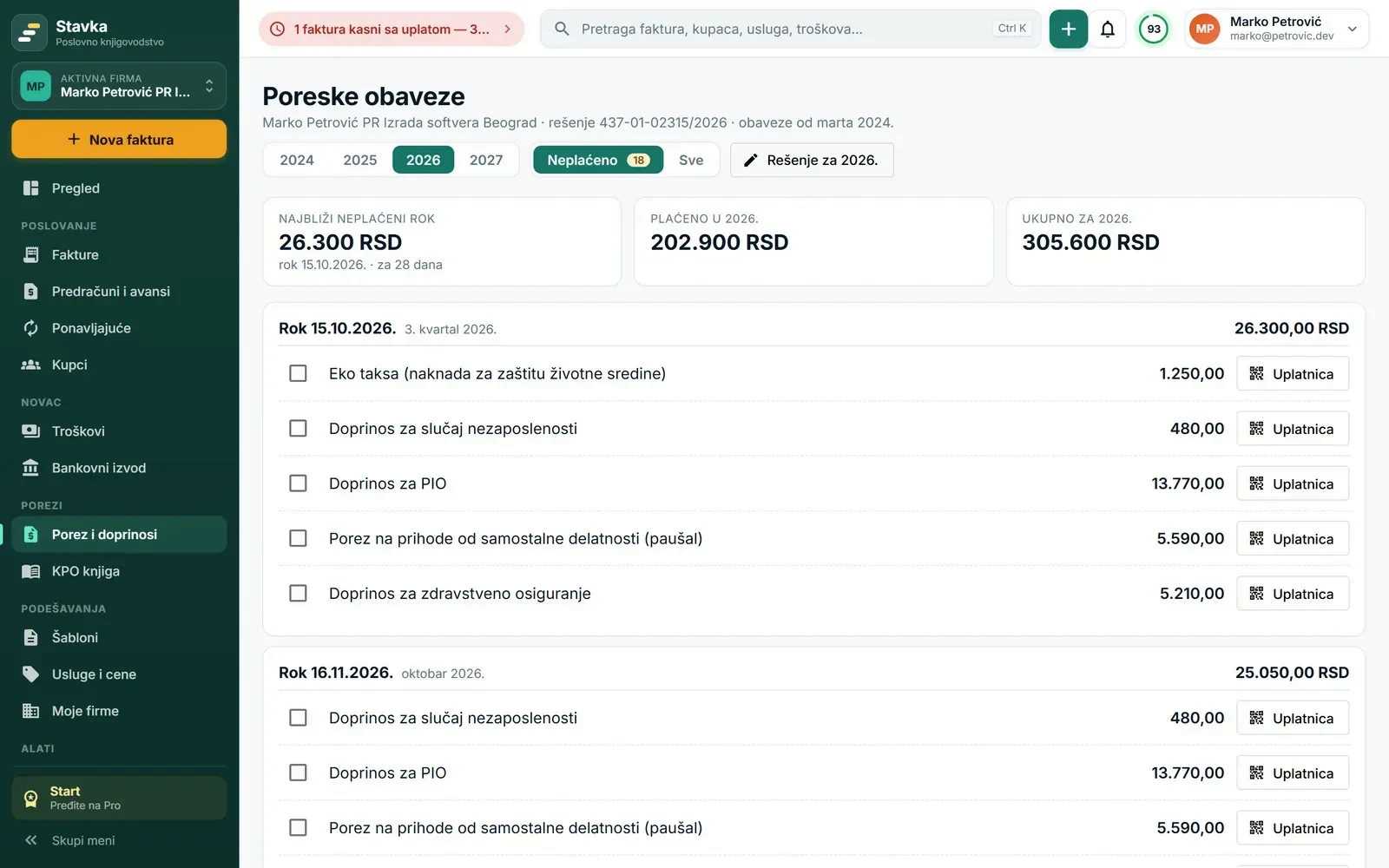
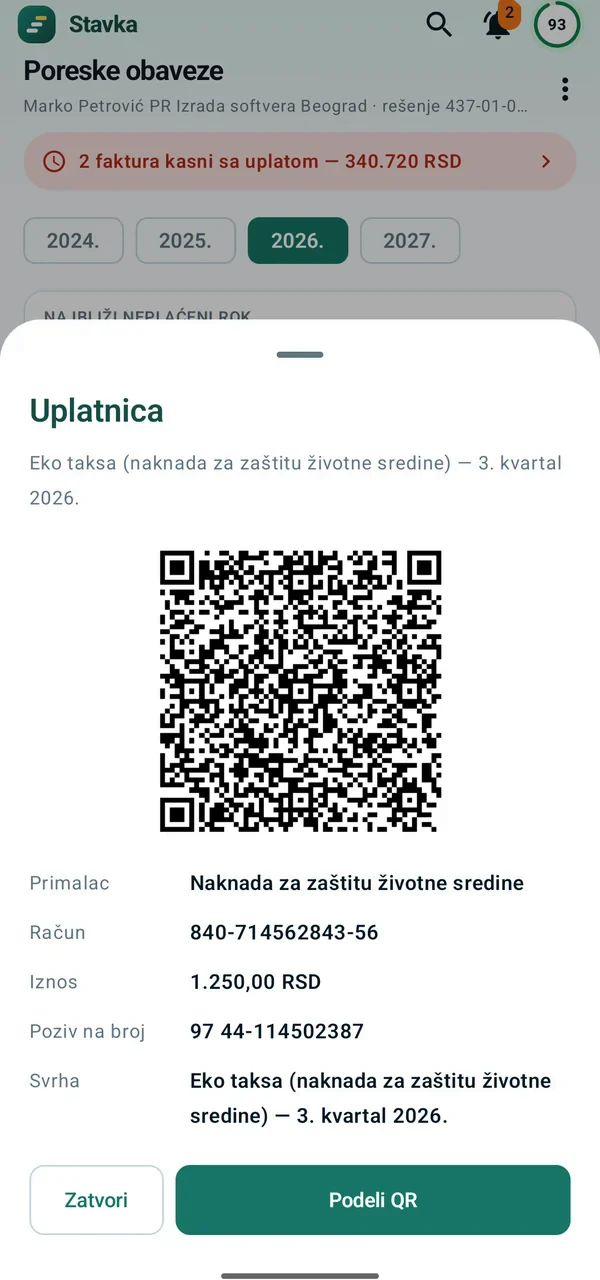
Copy the amounts from your yearly tax decision (rešenje) once. Stavka shows what is due and when, reminds you, and makes a payment slip with an IPS QR code for each payment.
Stavka follows your money after the invoice too: it recognizes payouts from your company to your private account, categorizes spending and sets part of every payout aside in funds — for next year’s tax, a reserve or a holiday. The personal section is separate from the company, and your accountant doesn’t see it.
You do not have to pay to keep invoices, the KPO ledger and taxes in order.
Invoices, proforma and advance invoices in PDF and Excel, in dinars or foreign currency at the NBS rate.
Clients in Serbia pay by scanning it in their banking app — no copying account numbers or reference numbers.
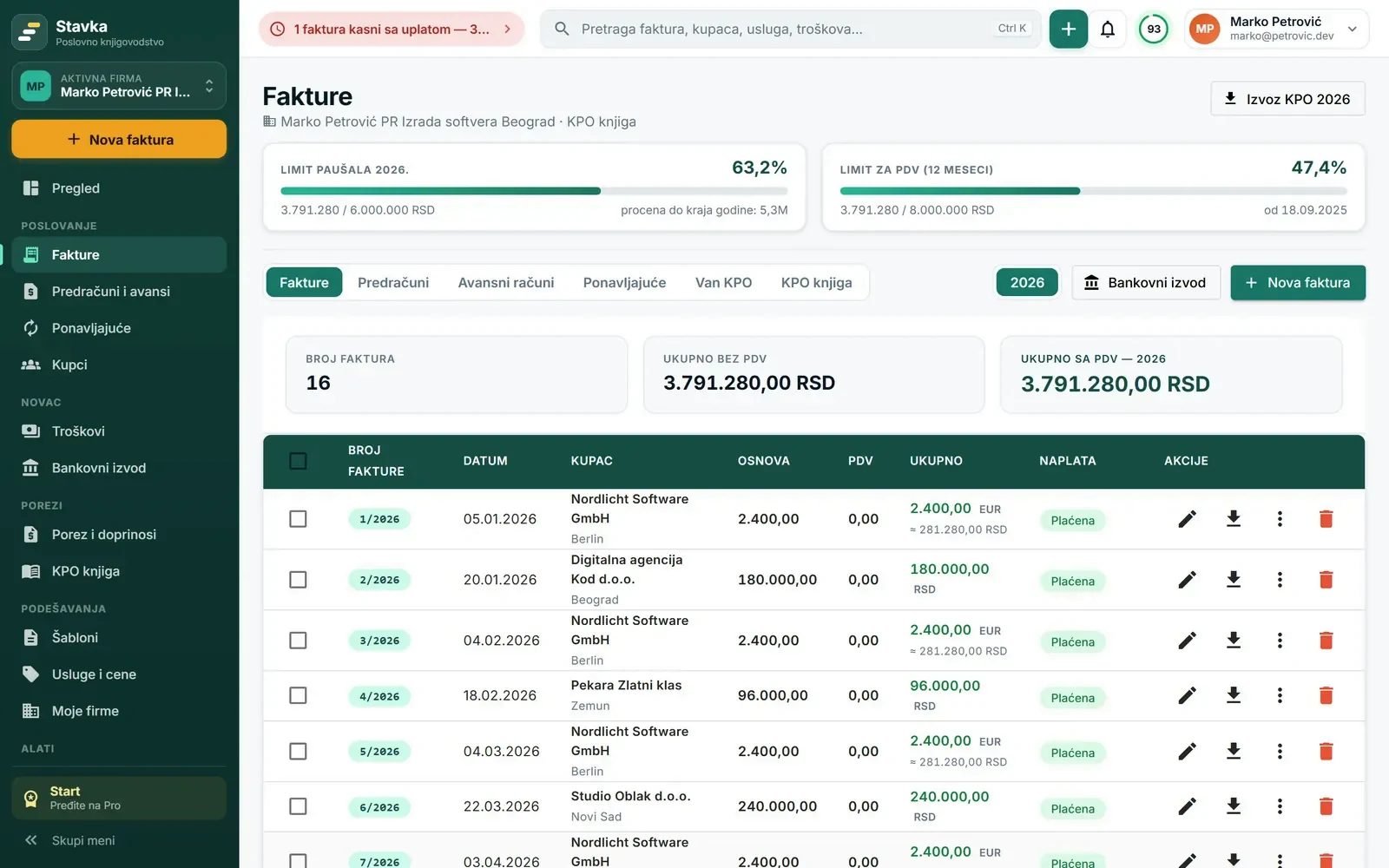
Every invoice is recorded in the income ledger. Manual entries, import from Excel and export for an inspection.
See how much you have used and the projection to year end, with warnings at 50, 75, 90 and 100%.
Enter the amounts from your tax decision once — Stavka tracks deadlines and makes payment slips with a QR code.
Scan the QR code on a fiscal receipt or photograph a bill; see what is left after expenses and tax.
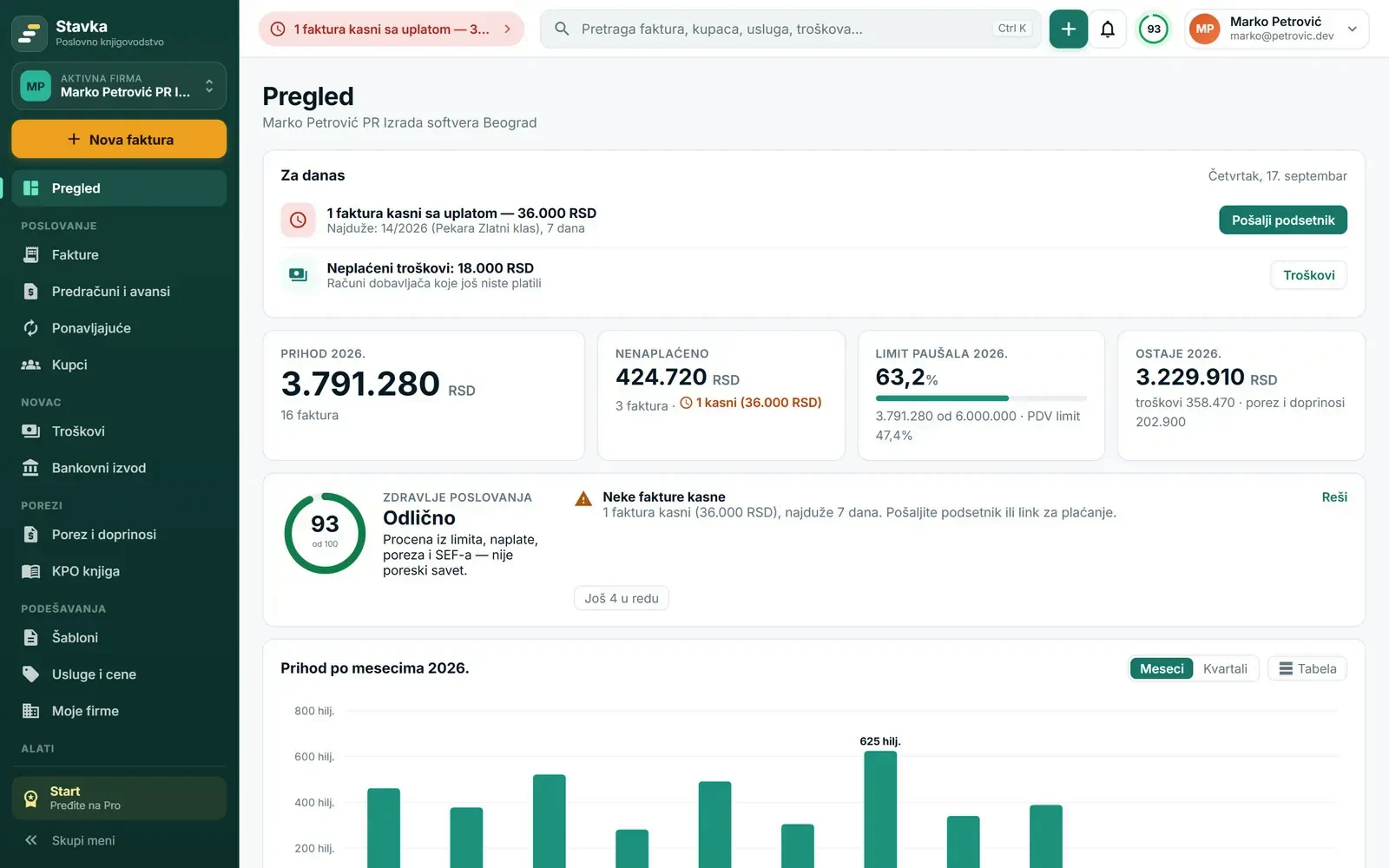
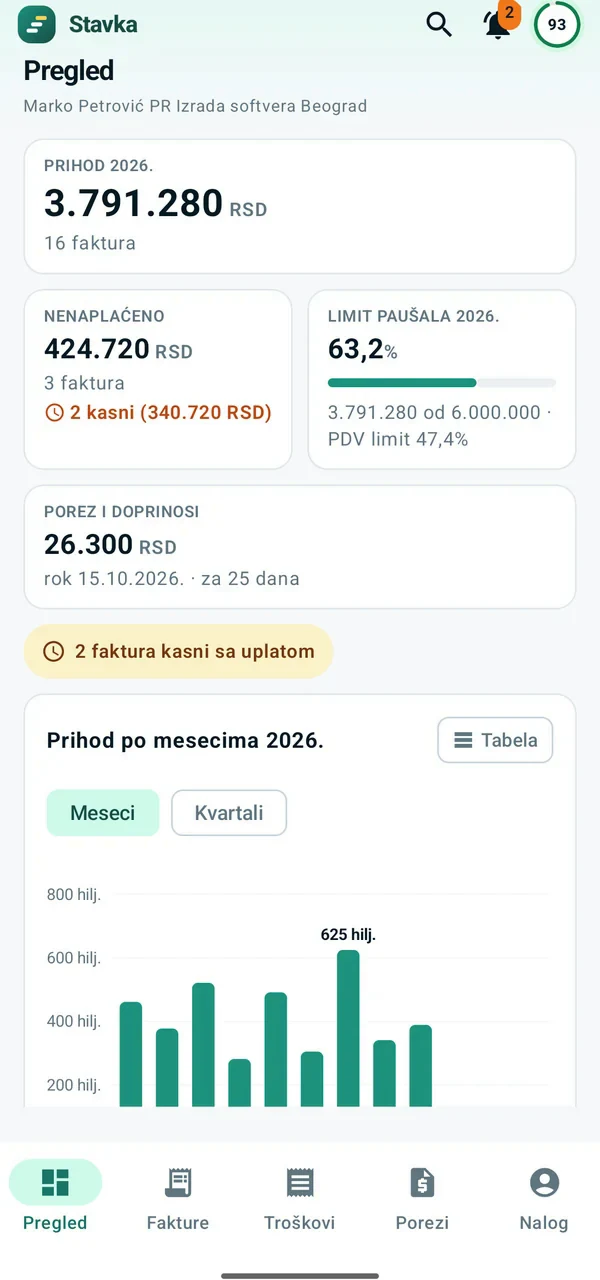
In one place: what is overdue, which deadline is coming, business health and income by month.
PDF and Excel of every invoice, the KPO ledger and a full XML backup — nothing is locked when a plan expires.
At the start of each month your accountant receives all invoices, expenses and payments in Excel and PDF.
Same account and same features on your phone: invoices, SEF, expenses, taxes, statements, work hours and notifications.
A flat-rate entrepreneur outside the VAT system does not have to use SEF when invoicing private companies, individuals and clients abroad — you send them a PDF invoice, and the free Start plan covers that completely. VAT payers can issue invoices in Start too, but must send invoices to domestic companies through SEF, which is in the Pro plan.
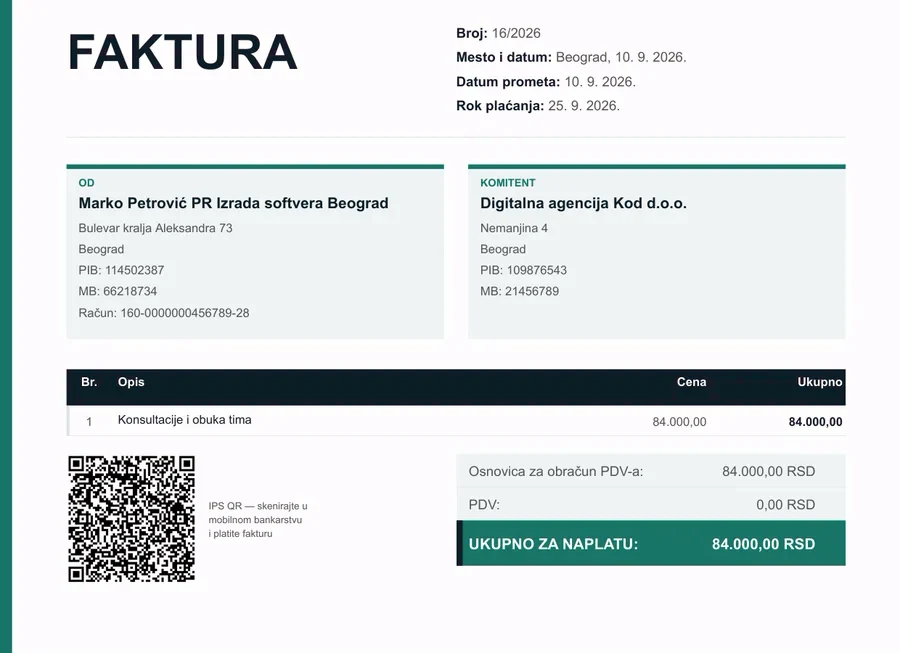
Pick a client from your address book, enter the service and price — Stavka assigns the number, adds the IPS QR code and records the invoice in the KPO ledger.
All sections in the menu on the left, search and notifications at the top, and on the Overview always what needs attention today. Screenshots show the Serbian interface.
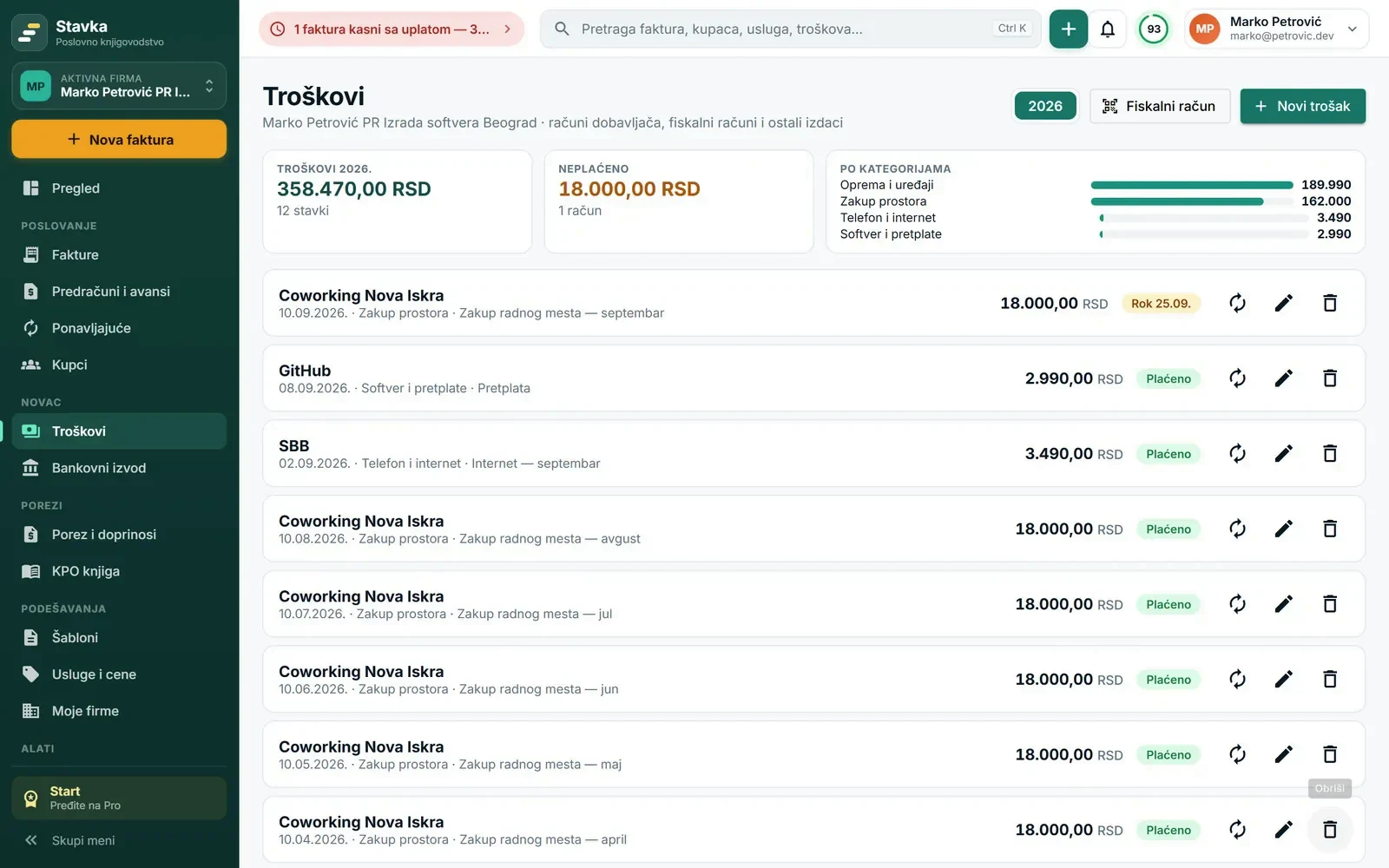
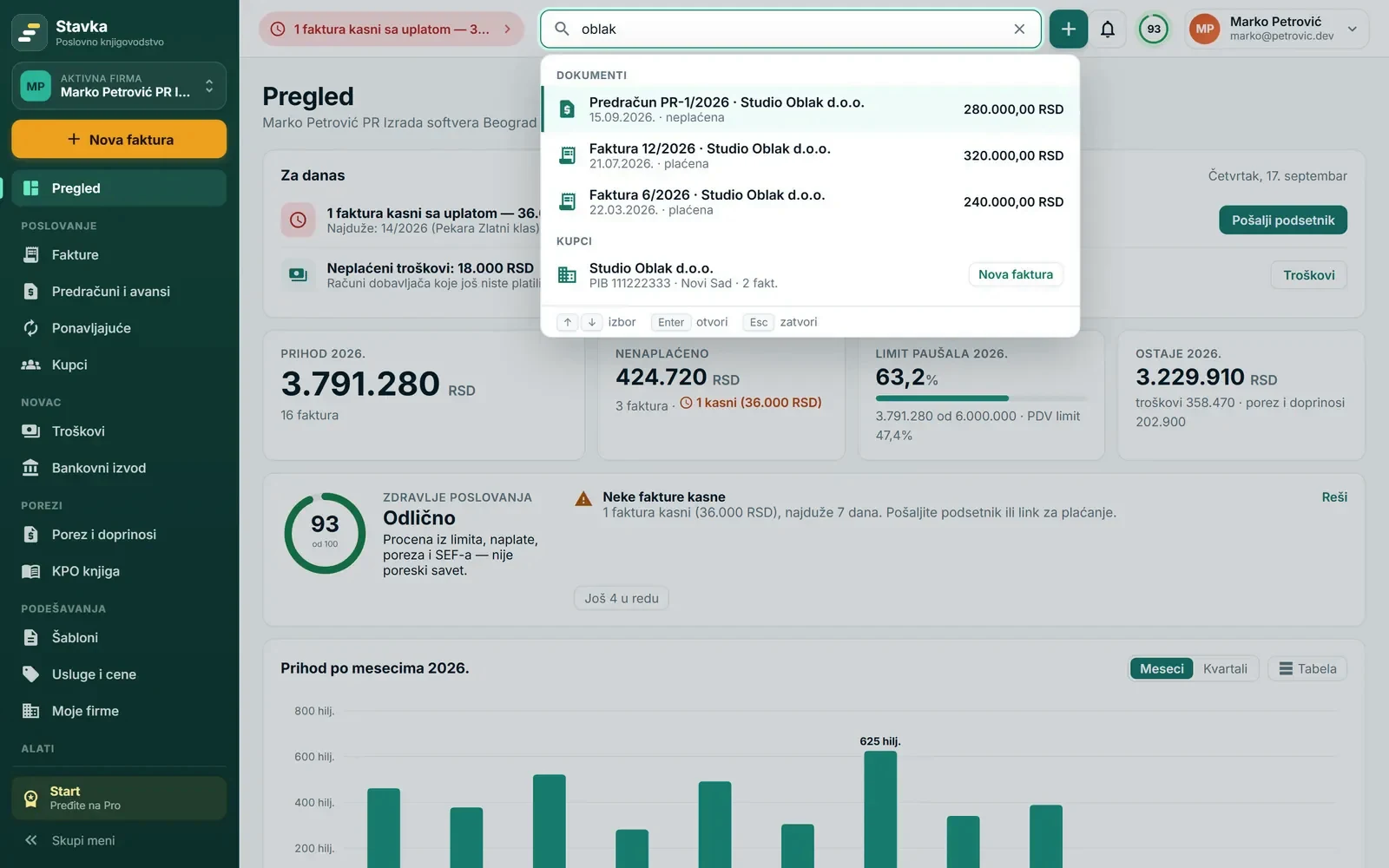
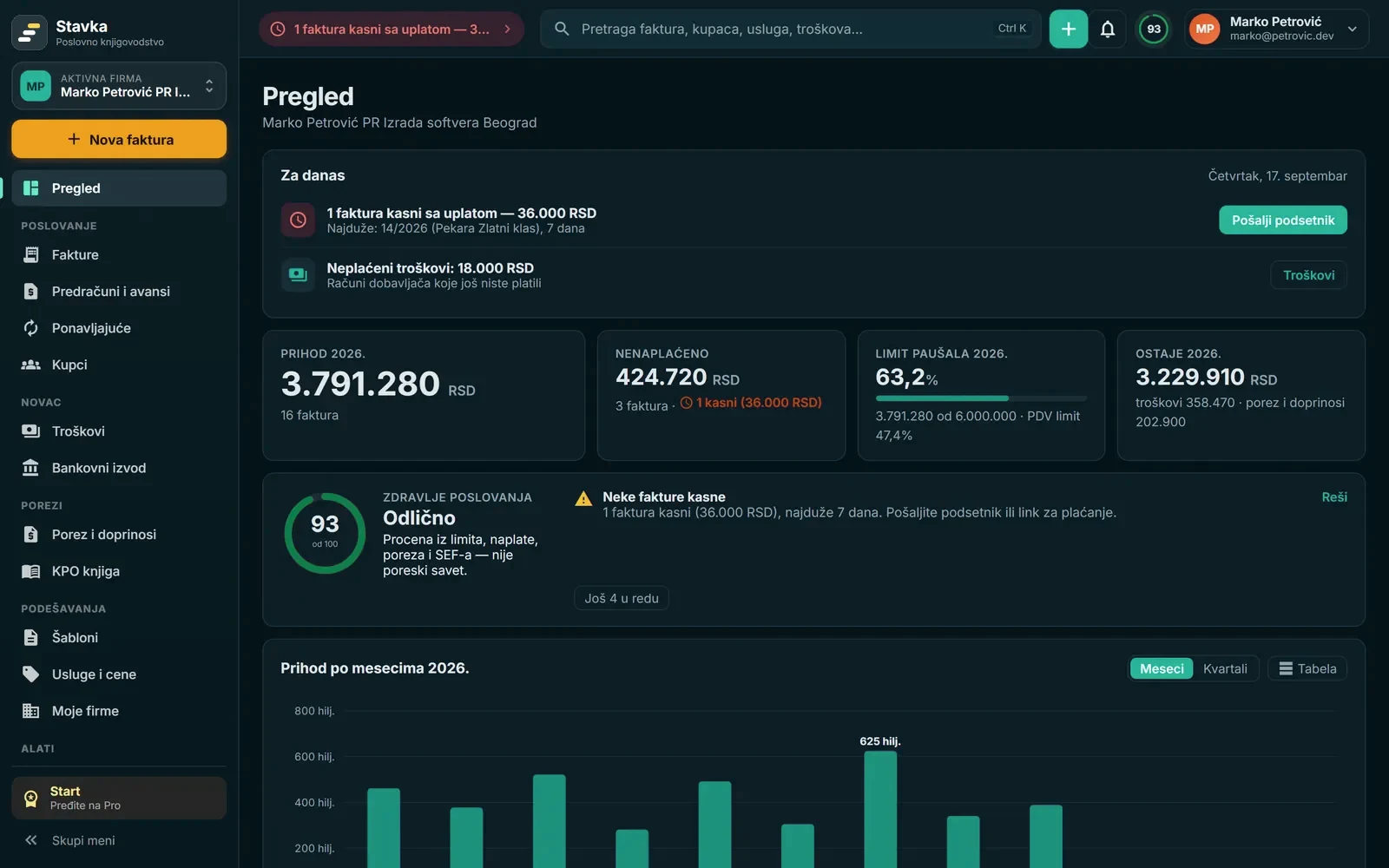
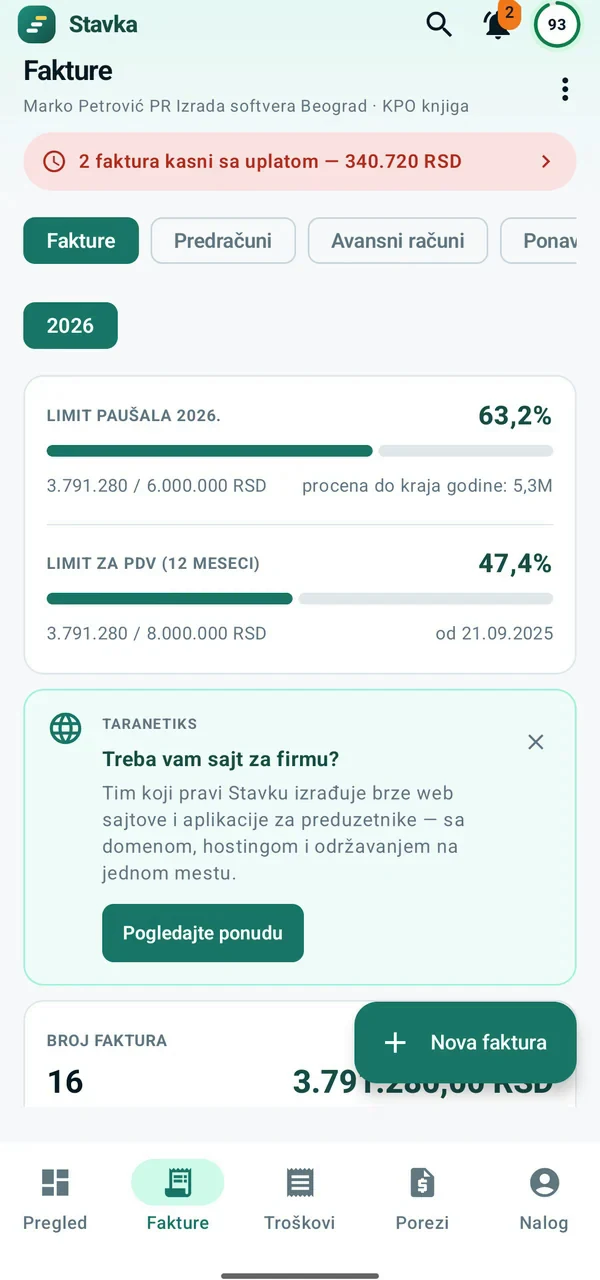
All mandatory fields for a flat-rate entrepreneur, the VAT exemption note under Article 33, and a QR code the client scans in their banking app.
Bank statements by e-mail: no more exporting statements and matching payments to invoices by hand.
Set up once to forward the bank’s statement e-mail to Stavka — from Gmail, Outlook or any other mailbox. XML statements are read, and Intesa’s foreign-currency statement and Yettel banka’s statement as PDF too.
By the invoice number in the payment reference, the amount and the client name — foreign-currency payments too. Each match says why.
One click and the invoices are paid. Nothing is booked without you, and late clients get a reminder.
Developers, designers, consultants, translators and everyone invoicing services — to clients in Serbia and abroad.
Start free →Invoices with or without VAT, SEF, expenses and bank, and income, expenses and result on the Overview. Your accountant keeps the books and files returns — Stavka sends them invoices and expenses every month.
Start free →Up to 3 clients free: work in your clients’ accounts and see limits and overdue invoices of all clients on one page.
Start free →A plan never takes your data hostage: overview, KPO ledger and export keep working when a subscription ends.
For flat-rate entrepreneurs and sole proprietors — with or without VAT: invoices, KPO ledger, expenses and taxes.
≈ 742 RSD per month, or 990 RSD paid monthly. Adds SEF — mandatory for VAT payers invoicing domestic companies.
≈ 1,075 RSD per month, or 1,490 RSD paid monthly. A little more than Pro — and Stavka reads your bank statements.
Are you an accountant? Up to 3 clients free, then a plan based on the number of clients. Accountant plan
Personal finance is free, with up to 3 funds. Personal Plus — statements by e-mail, securities and investments, unlimited funds and term deposits — is 1,190 RSD per year, and Pro and Biznis include it. Personal finance
Bring a colleague: they get an extra month on top of the trial, you get 3 months of Pro when they issue their first invoice.
Yes. The Start plan is free with no time limit and no card, and invoicing and the KPO ledger have no limit on the number of invoices. Start includes unlimited invoices, proformas and advance invoices, the KPO ledger, limits, tax and contributions with payment slips, expenses, the IPS QR code on invoices, PDF and Excel of every invoice and full data export — on the web, Android and iPhone. You pay for conveniences that save time, if you need them: Pro (SEF, sending by e-mail, reminders, recurring invoices, payment links, matching bank statements, dark theme) and Biznis (plus statements by e-mail, work hours and up to 3 companies). Every new account gets Biznis free for the first 30 days.
Yes. For a client abroad the PDF invoice is bilingual — Serbian and English — in euros, dollars or another currency at the National Bank of Serbia rate, with your payment instructions (IBAN, SWIFT) printed on it. Stavka records the dinar equivalent in the KPO ledger and counts it toward your limits.
Usually not. A flat-rate entrepreneur outside the VAT system does not have to use SEF when invoicing private companies, sole proprietors, individuals and clients abroad — a PDF invoice is enough, and the free plan covers that. SEF is needed if you invoice the public sector or are already registered on SEF; then there is Pro.
A flat-rate entrepreneur may keep the KPO ledger electronically, as long as it contains all prescribed data. Stavka records every issued invoice and manual entries, and exports the ledger to PDF and Excel when an inspector or your accountant asks for it.
You copy the amounts from the Tax Administration’s decision (rešenje) once a year. Stavka then shows what is due by deadline, reminds you before each one and makes a payment slip with an IPS QR code for every payment.
Yes. The whole interface — web, Android and iPhone — is in English, Russian and Serbian; pick the language at login or in Settings and it follows your account on every device. Documents stay in Serbian, as Serbian law requires: invoices, the KPO ledger and payment slips. An invoice for a client abroad is bilingual, Serbian and English.
In an EU data centre (OVH, France), in line with GDPR and the Serbian data protection law, behind HTTPS, with encrypted nightly copies at another location. You log in with a Google or Microsoft account, or create an account with any e-mail and password (the password is stored only as a scrypt hash). Your SEF key is encrypted and never leaves the server. You can export everything any time, there are no third-party trackers, and data is never sold or shared. Details are on the Security page.
There is nothing to switch on: every new account has the Biznis plan for the first 30 days. No card and no obligation: after the trial you choose Biznis or Pro, or the account goes back to the free Start by itself, and your invoices and KPO ledger stay.
Yes, for Android and iPhone, with the same account as on the web, in all plans and with the same features. The Android app is on Google Play or can be downloaded directly from stavka.rs (an APK that offers each new version), the iPhone app is on the App Store.
Stavka goes with you. It warns you as you approach the 6 and 8 million limits, and when you move to full books you set the date in your company details: invoices, SEF, expenses and bank stay the same, and instead of the KPO ledger and flat-rate limits you see income, expenses and result. VAT payers issue invoices with 20% or 10% VAT.
No. Stavka is not accounting software and does not replace an accountant. For sole proprietors with full books or VAT it keeps invoices, SEF, expenses and payments, while the books, tax calculation and returns are done by their accountant. Stavka sends the accountant a monthly package with all invoices and expenses, or you give them access to your account — free for the accountant either way.
Log in with a Google or Microsoft account — no card and no contract.
No Google Play? Download the APK directly from the site
Write to us — we reply to the e-mail address you leave.