 Stavka
Agency in Stavka: a manual for accountants
The Agency page is part of the Accountant plan and also works with clients who don't use Stavka: you request their documents for the month, send a tax reminder with a QR code for payment and receive bank statements at one address. The screenshots are from a demo agency with made-up clients — you can open the same one yourself with the Try as an accountant button, no sign-up needed.
Getting started in three steps
- Add your clients — from an Excel file (there's a template), paste a list, or add them one by one.
- Send a document request for last month — all clients at once, in one click.
- Track and download — you see who has sent what, and you download everything as one ZIP.
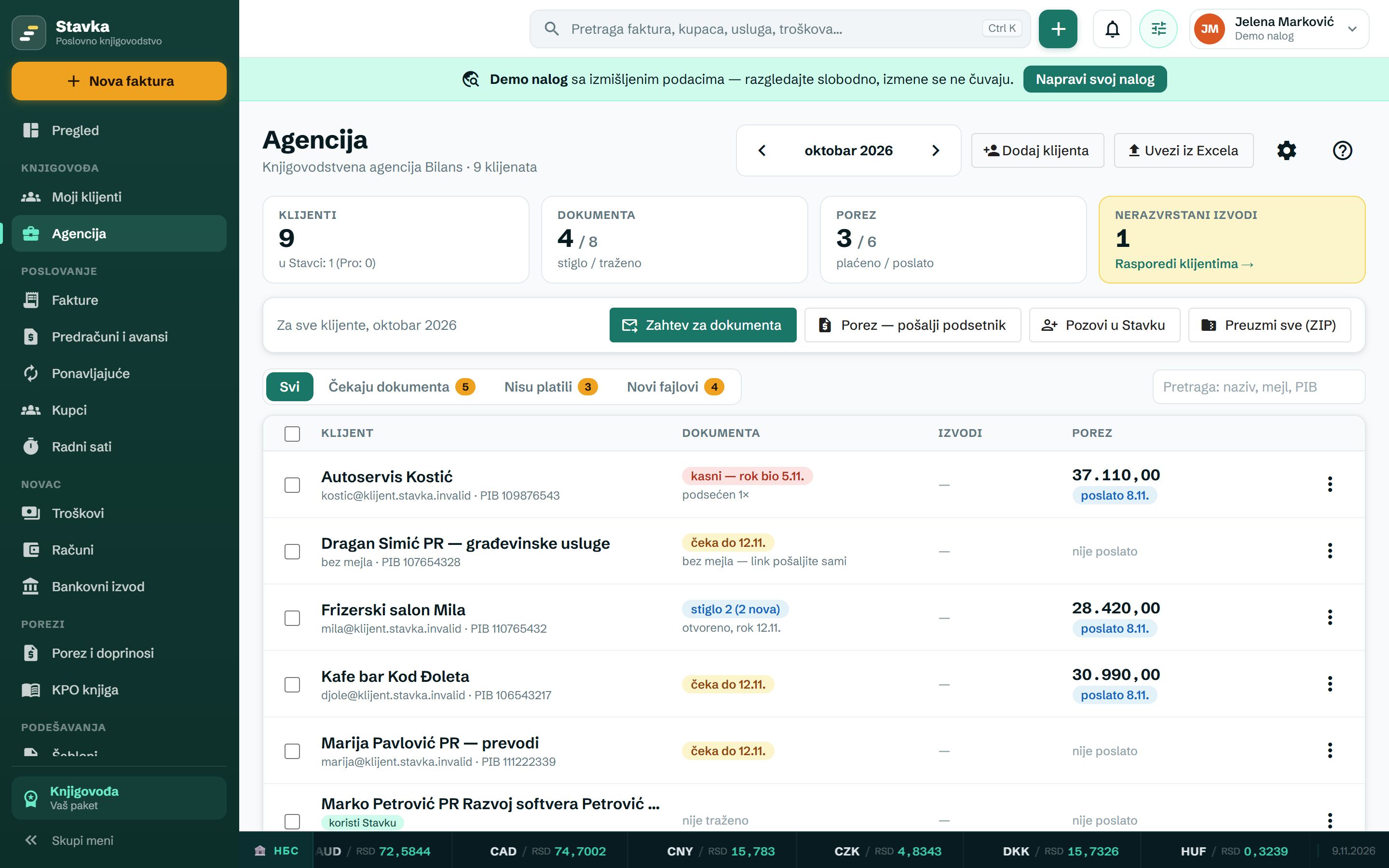
Agency is in the main menu, in the Accountant section. At the top you pick the month (the previous one by default — in November you collect documents and pay tax for October). Four tiles show the number of clients (and how many of them use Stavka), documents (received / requested), tax (paid / sent) and unsorted statements. Below are actions for all clients or only the ticked ones, the filters Awaiting documents, Not paid and New files, and search by name, email or PIB.
Each row shows the status of the documents (waiting until, overdue, received 2 (2 new), no documents, closed), statements and tax. The ⋮ menu at the end of the row has every action for that client.
1. Clients — by hand or from Excel
Add client opens the form: name (the only required field), email (requests and reminders go there), phone, PIB, bank account (statements are sorted by it), address, and the tax and contribution amounts from the tax decision (rešenje). The Note is just for you.
Import from Excel
Click Import from Excel, then pick whichever is easier for you:
- File — Download sample gives you an Excel template with all the columns and instructions on a second sheet. Fill it in (delete the examples in the first three rows), save it and click Choose a file (.xlsx or CSV). Your own existing spreadsheet works too, if it has a header row.
- Copy and paste — in Excel, select the table with your clients (with the header row, if you have one), copy it (Ctrl+C) and paste it into the field (Ctrl+V), then click Preview.
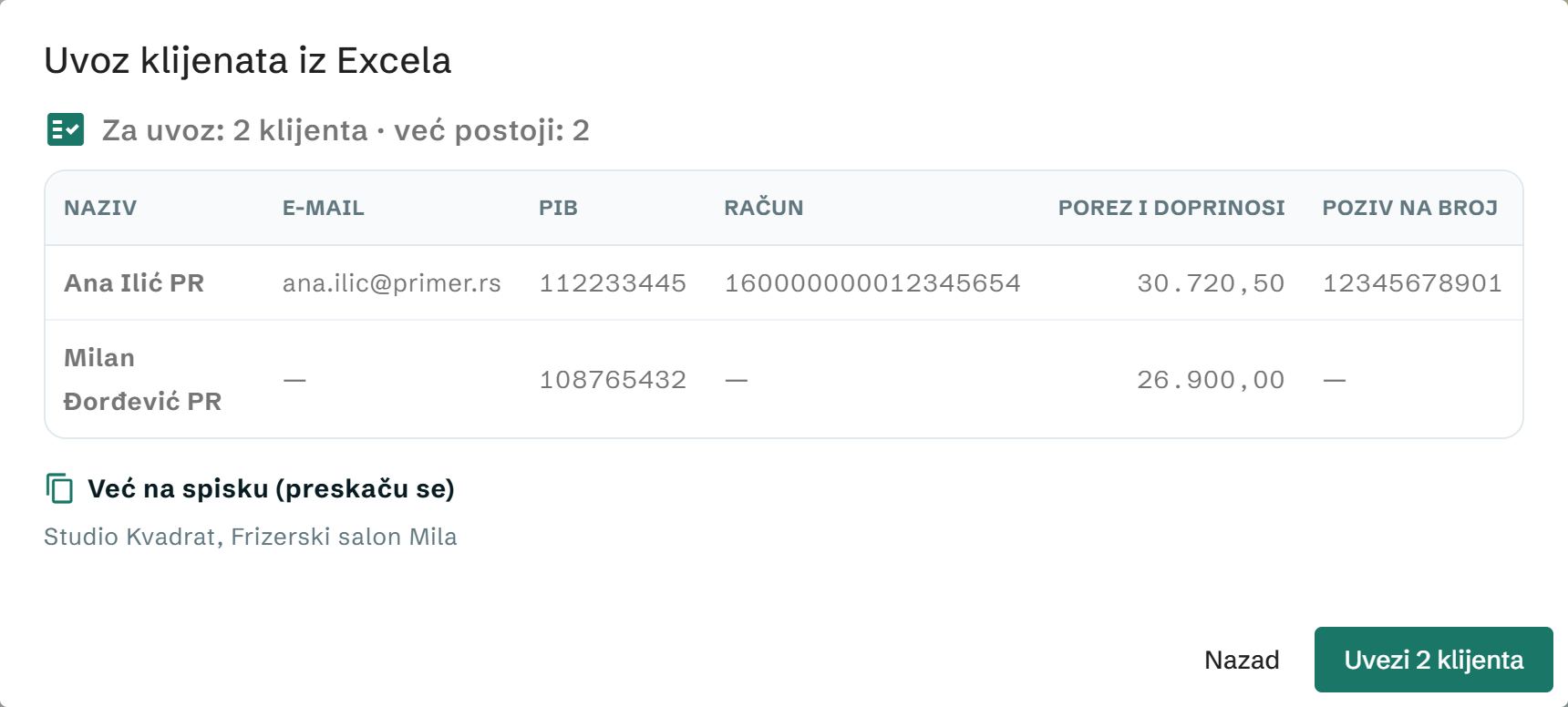
Either way you first see a preview: which clients will be imported, which already exist and which rows have an error. Nothing is saved until you click Import.
Columns are recognized by Serbian headers: Naziv (name), E-mail, PIB, Telefon (phone), Račun (bank account), Adresa (address), Porez (tax), PIO (pension contribution), Zdravstveno (health insurance), Nezaposlenost (unemployment insurance), Poziv na broj (payment reference); without a header, Stavka recognizes the columns by their content. A client that already exists (same PIB, email or name) is skipped, so you can safely paste the same list again.
2. Document request
- Click Document request — for all clients, or tick the ones you're sending it to first.
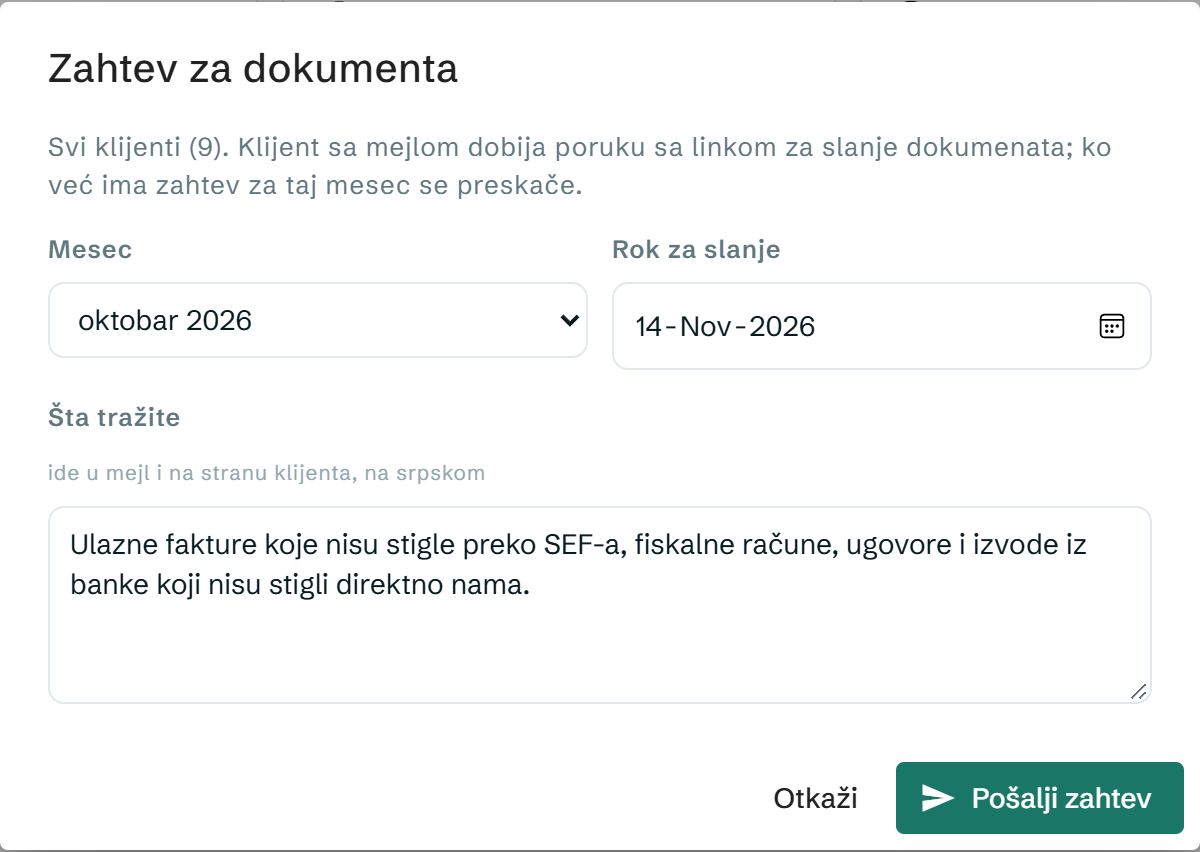
- Choose the month and the deadline and write what you need (incoming invoices, fiscal receipts, contracts…). The text goes into the email and onto the client's page.
- Send request. A client with an email gets a message on behalf of your agency with their own link. For a client without an email, you copy the link and send it yourself — by Viber or SMS.
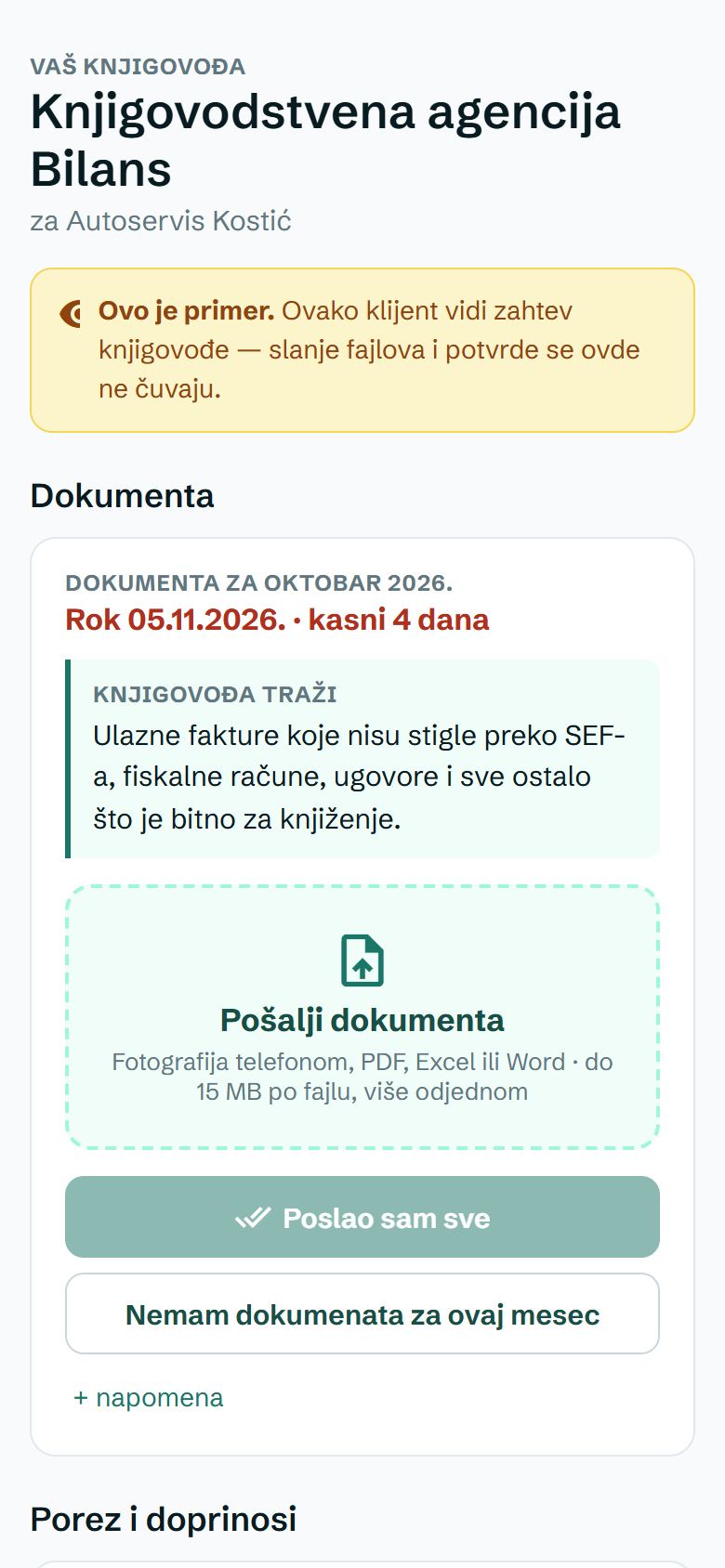
The client opens the link on a phone or computer, with no account or password: they see what you need and by when, send photos and PDFs (up to 15 MB per file; PDF, images, Excel, Word, XML and ZIP) and tap Poslao sam sve (I've sent everything) or Nemam dokumenata za ovaj mesec (I have no documents for this month), with a note if they want. The same page also shows the tax with QR codes and documents sent earlier.
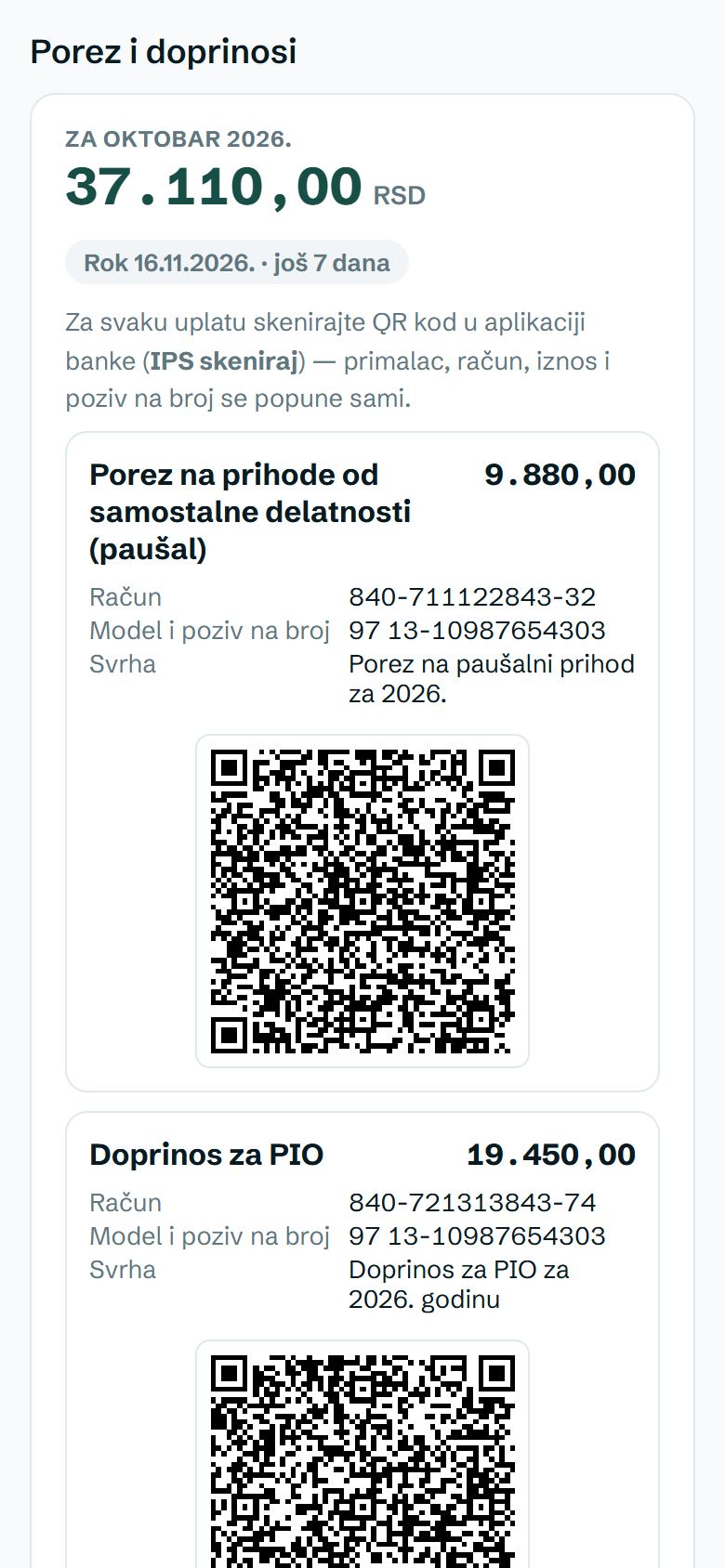
- The reminder goes out by itself: a client with an email who hasn't sent anything by the deadline gets a reminder on the deadline day, then every three days — three times at most.
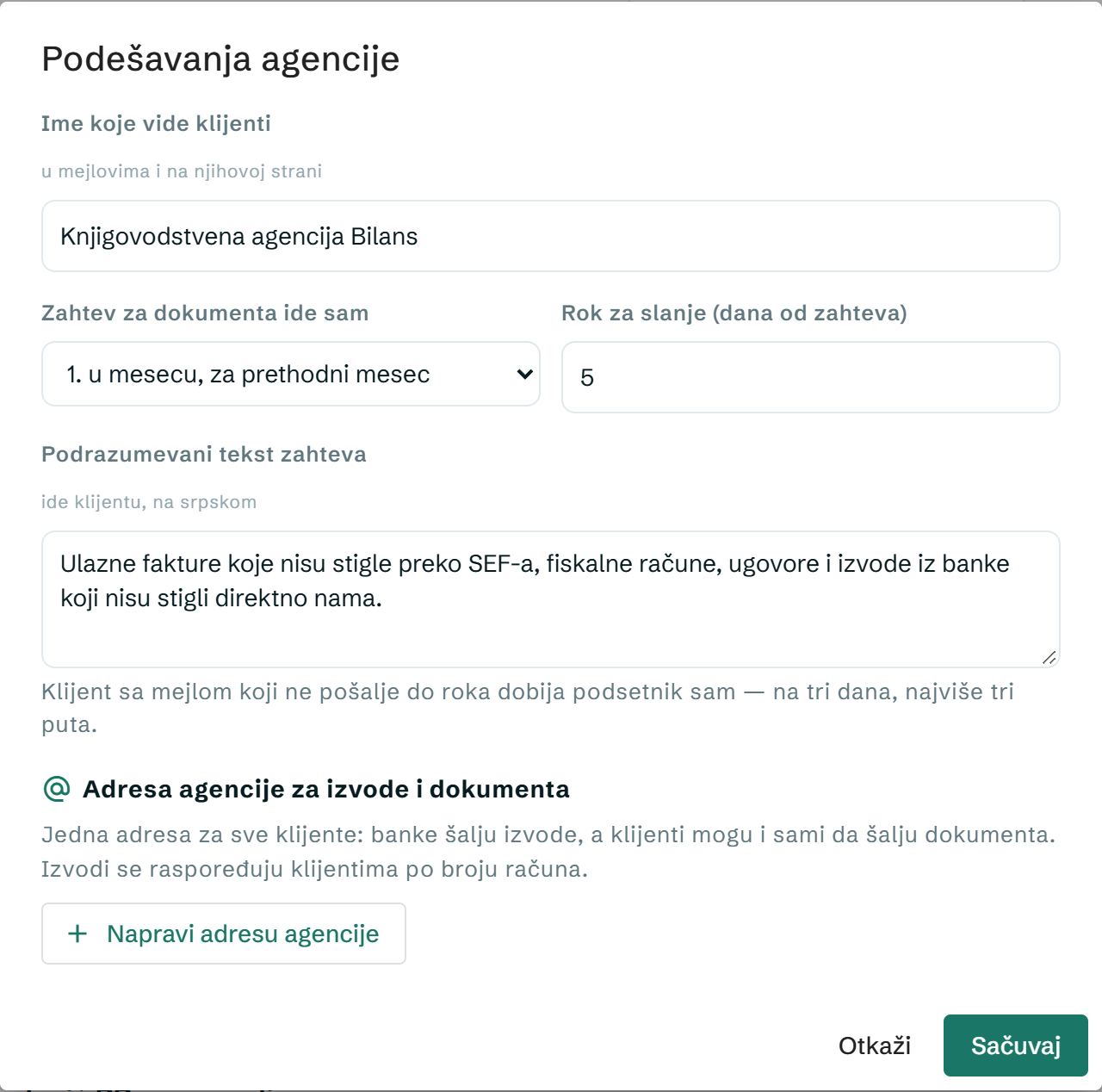
- Automatic request: in Settings, pick a day of the month (e.g. the 3rd) — on that day the request for the previous month goes to all clients by itself.
- In the row's ⋮ menu: Send reminder, Mark documents as received (when they arrive some other way), Reopen request and Copy client link.
3. Tax and contributions with a QR code
You enter the amounts once, under the client's Edit, from the tax decision: income tax, pension contribution (PIO), health insurance, unemployment insurance and the payment reference (without "97"). For a client who uses Stavka, the amounts are read from their account.
- Click Tax — send reminder (to everyone or the ticked ones).
- The client gets an email with the amounts, accounts, payment reference and an IPS QR code for each payment attached — they scan it in their banking app and everything fills in by itself.
- Once they've paid, the client clicks Platio sam (I've paid) on their page, and the list shows paid ✓ (client). You can also mark the payment yourself, from the row menu.
Clients without amounts entered, without an email and those who have already paid are skipped — after sending you see how many and why.
- Automatically from the 10th of the month: for a client with Send a monthly tax reminder turned on, the email goes out by itself, and two days before the deadline (the 15th of the month; weekend → the first working day) another short one, if they haven't said they've paid.
- Clients who use Stavka get the reminder from their own Stavka — not twice.
- Tax overview (row menu) shows all items, accounts and the payment reference for the selected month.
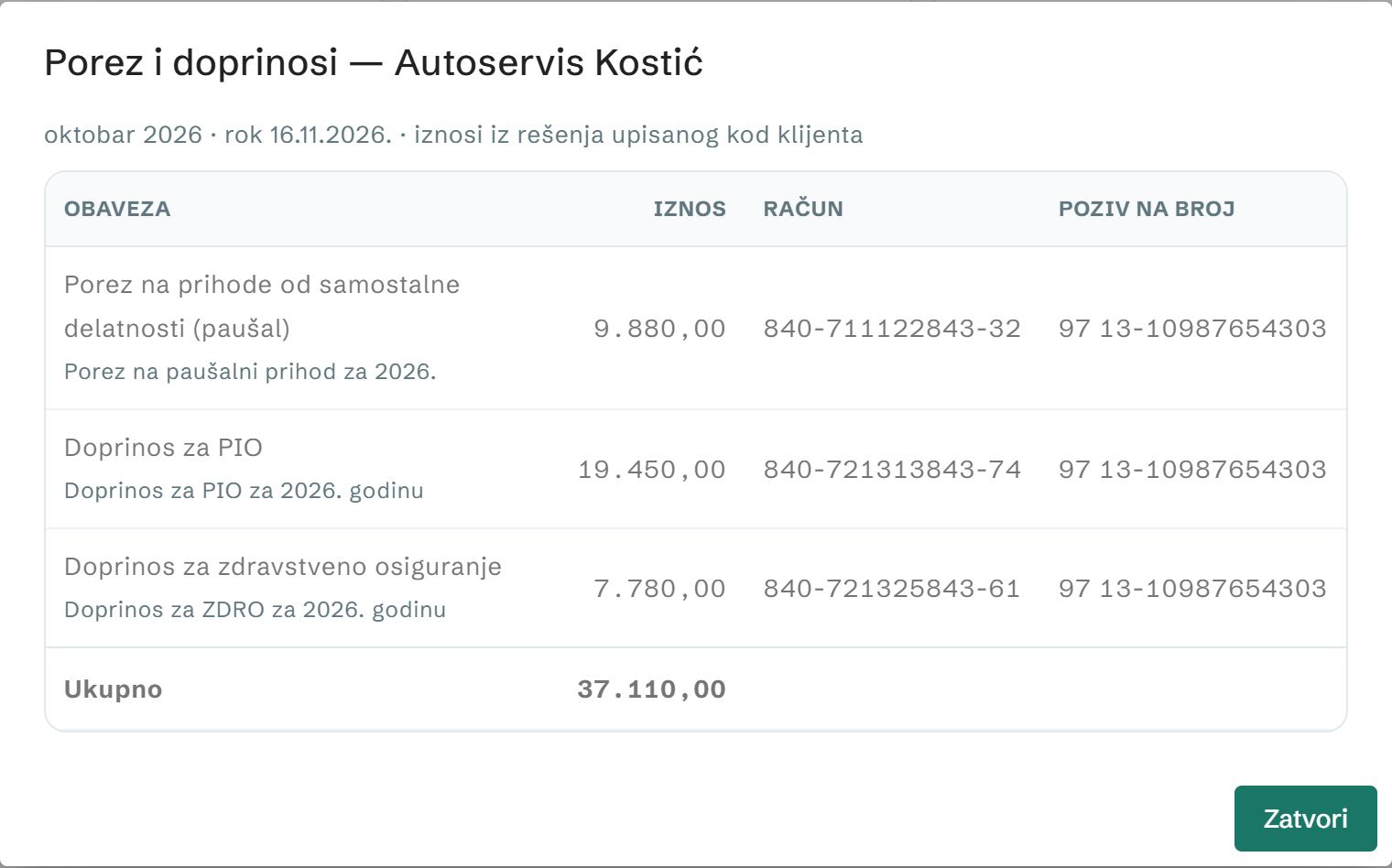
4. Agency address for statements and documents
One address for all clients: banks (or your Gmail) forward the statements, and clients can also send documents by email themselves.
- Settings (the gear, top right) → Create agency address → Copy address.
- In Gmail: Settings → Forwarding and POP/IMAP → Add a forwarding address and paste the address. Gmail sends a confirmation — the code appears in the agency Settings, and you copy it from there into Gmail.
- Create a filter for the bank's emails (From = the bank's address) → Forward to this address.
- A statement is assigned to a client by account number — from the agency list or from the company of a client who uses Stavka.
- An email from a client (the sender is the client's address) goes into their documents for the open month.
- Everything else waits in Unsorted statements (the yellow tile) → Assign to client. Add that client's bank account, and future statements will be sorted by themselves.
- New address switches off the old one immediately (change your forwarding); Turn off stops receiving emails. Payments from statements are not posted anywhere — they only serve to estimate turnover (part 5).
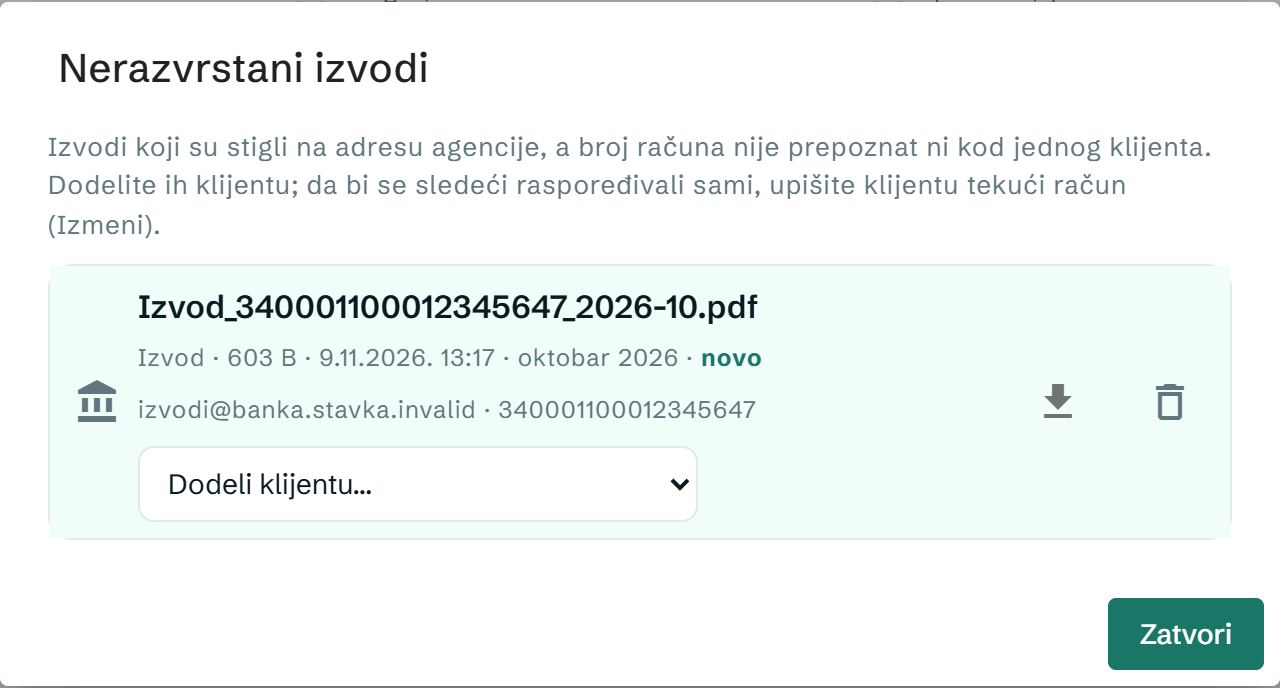
5. Turnover and limits (6 and 8 million)
Stavka tracks both flat-rate limits for every client: 6 million in a calendar year (flat-rate) and 8 million in the last 12 months (VAT). Next to the client's name is a badge for the closer limit, e.g. 6M 72 % — gray up to 80%, yellow from 80%, red over 100%. The Near the limit filter picks out clients at 80% and above.
Where the numbers come from:
- The client uses Stavka — exact, from their KPO ledger and invoices.
- The client doesn't use Stavka — an estimate from bank statements (the badge has a ≈ sign): the sum of payments into their account from the statements that arrive at the agency address. Transfers from their own account, loans, refunds and foreign currency payments don't count; the same payment on a daily and a monthly statement is counted once.
- Your entry — Turnover and limits (row menu, or click the badge) has turnover by month: enter the amount from the KPO ledger or your own software, and for that month it's used instead of the estimate. It works without statements too — entering the turnover monthly is enough.
When a client passes 80% or 100% of a limit, you get a notification in Stavka (each threshold once a year). The estimate doesn't replace the KPO ledger — it's there so you see in time who is getting close to a limit.
6. Files and downloads
- Files (row menu) shows the client's documents and statements for the month (or All months): download, delete, and a new label for what you haven't opened yet.
- Download all (ZIP) gives you the whole month: a folder per client, statements in a subfolder — ready to import into your software.
- The New files filter shows clients who have sent something new.
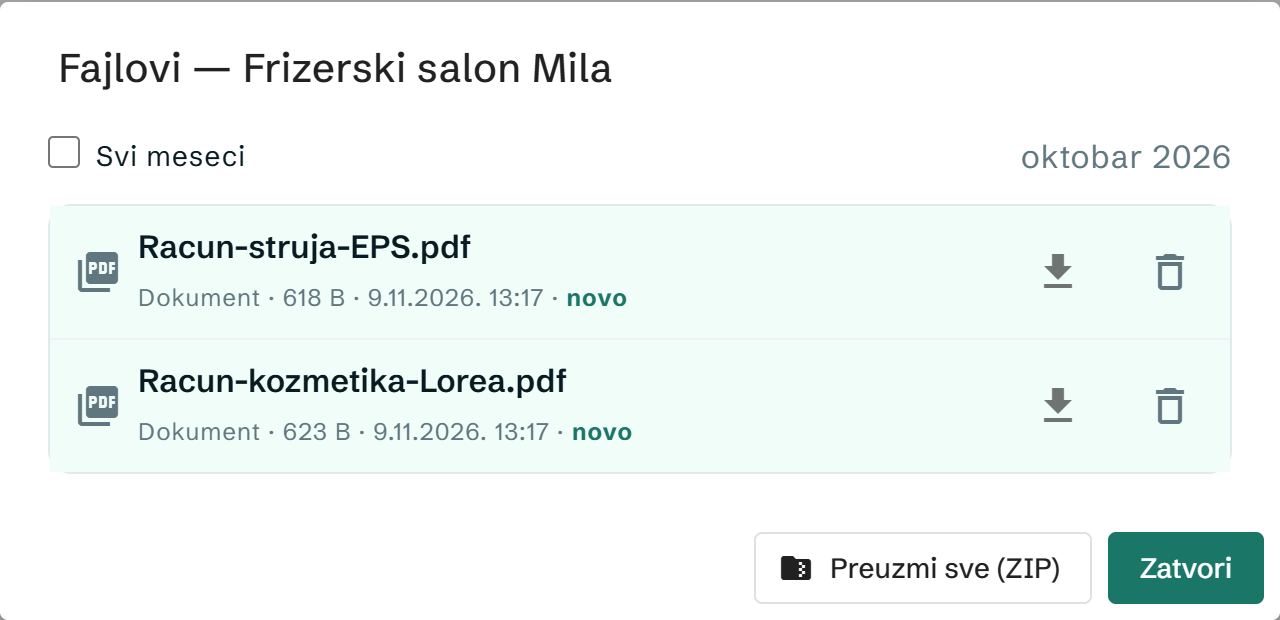
Files are stored encrypted for 400 days. The client's link is personal: New link creates another one (the old one stops working immediately), and Archive removes the client from the list and switches off their link — the files stay.
7. Invitation to Stavka and Pro for clients
You can invite clients to keep their invoices in Stavka themselves — then you see their invoices and KPO ledger without anyone sending papers and spreadsheets.
- Invite to Stavka (all or the ticked ones). The client gets an email on behalf of your agency with a link to a free account.
- If you like, tick I pay for their Pro plan — sending invoices to SEF and by email, reminders to clients who pay late, recurring invoices.
- The client opens an account and confirms they are giving you access. From then on they are on the list marked uses Stavka; they can revoke access whenever they want.
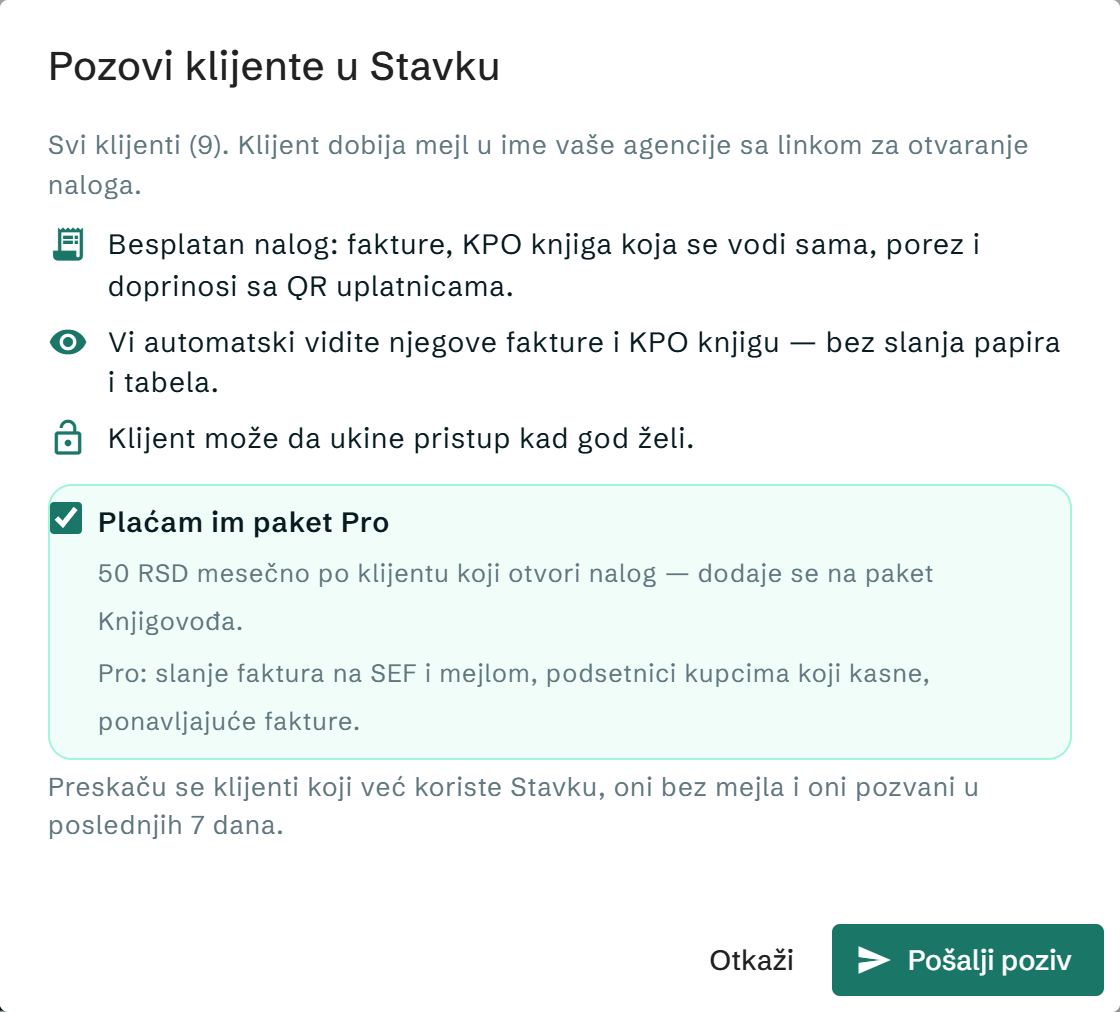
Clients who already use Stavka, those without an email and those invited in the last 7 days are skipped. The client also sees the same invitation on their own page (Otvori nalog, Open account). You turn Pro on and off per client from the row menu.
8. Settings and limits
- Name clients see — in emails and on their page. Replies to the email come to you.
- Document request goes out automatically — on a day of the month, or by hand; the deadline in days from the request (1–30); the default text of the request.
- The agency sends at most 250 emails a day; how many are left is shown under the page title.
- Everything the client sees (emails and their page) is in Serbian. Agency works on the web; the client's link also works in a phone browser.
Price
Agency is part of the Accountant plan: 1,990 RSD a month with 10 clients, 100 RSD for each additional one and 70 RSD from client 101 on — clients who don't use Stavka count too. Pro for clients is 50 RSD a month per client who opens an account. The other plans, including the free one, have Agency for up to 3 clients. All prices: pricing; for agencies: Stavka for agencies.